“The everpopular auditing tool “
So, What Is a Pineapple?
A WiFi Pineapple is a pocket-sized box of chaos. Built for network audits and penetration testing, it impersonates trusted WiFi networks, tricking nearby devices into connecting. Once they do, all their traffic gets funneled through the Pineapple, letting the operator sniff, inspect, or alter with it however they please.
Hak5 originally built the device, and it quickly became a fan-favorite. It’s practically a rite of passage for pentesters. Think of it as a man-in-the-middle toolkit disguised as a toy.
Why Build My Own?
Because money, mainly. Hak5’s Pineapple is expensive, and I would rather not deal with customs interrogating me about why I’m importing a glowing, antenna-covered polygon with “penetration” in its spec sheet.
Then, by some divine intervention, I stumbled across xchwarze’s WiFi Pineapple Cloner on Reddit. All I needed now was a compatible router. Easy, right? I had a solid shortlist and was confident I’d find something cheap and usable. That confidence aged like fine milk.
Turns out, nothing available locally actually worked. If the model matched, the hardware revision didn’t. If the SKU lined up, it wouldn’t ship here. It became a scavenger hunt with more dead ends than success. Honestly, it was a bit of a wake-up call on how many tech products just don’t make it to this part of the world. But that’s a rant for another day; somewhere between logistics, tarrifs and geopolitics.
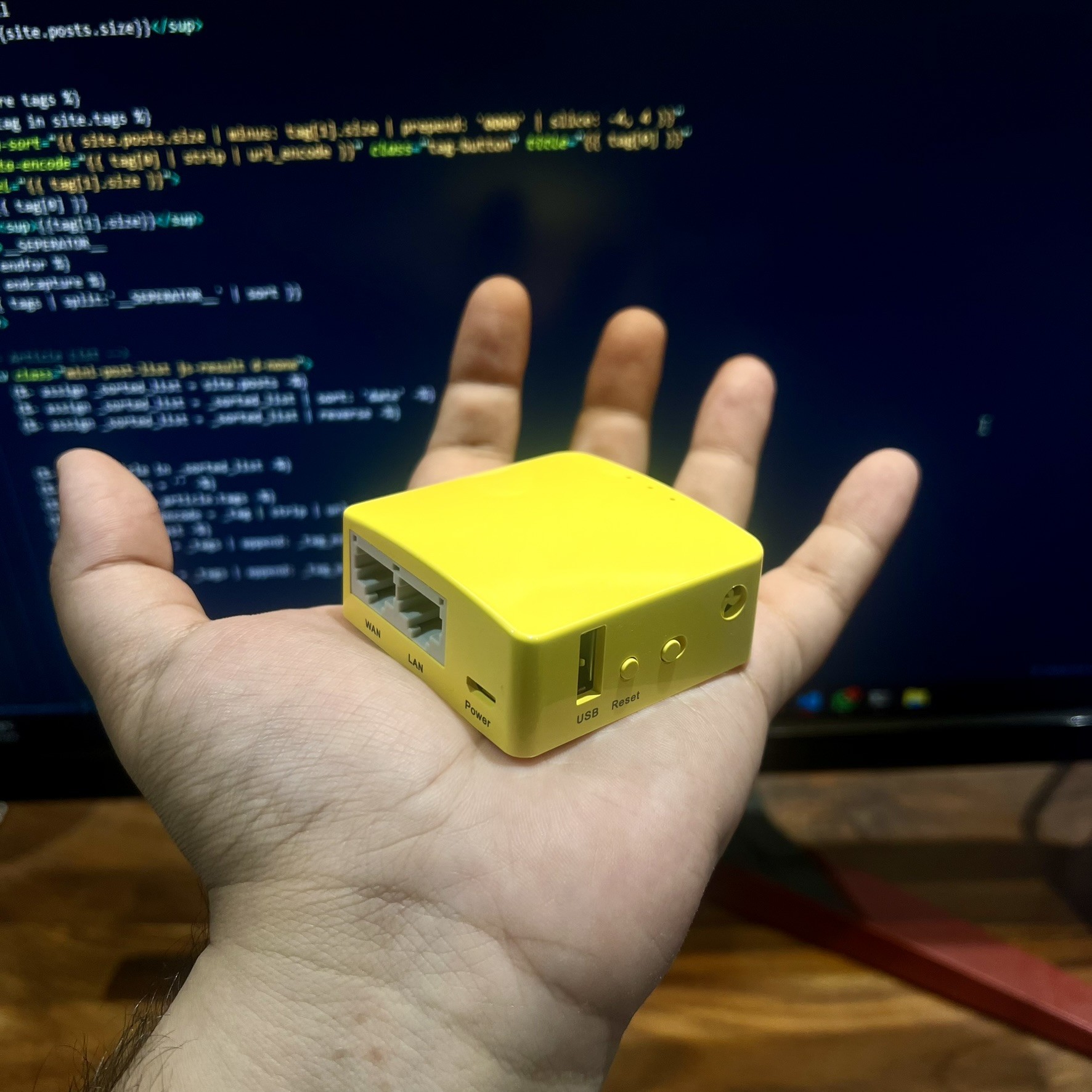
Eventually, after far too much scrolling, I struck gold on Amazon Japan of all places. “Glocal Net GR-MT300N-V2”; a rebadged GL.iNet Mango. Compatible with OpenWRT, cheap, and available for international shipping. Everything I needed, finally in one tiny yellow box.
Two weeks later, the Mango arrived, blissfully unaware of the life it was about to live.
The Process
Turning it into a Pineapple clone was surprisingly painless:
- Download the prebuilt firmware from xchwarze’s GitLab.
- Find the correct OpenWRT version. My Mango shipped with 22.03.01, which was too new.
- Downgrade OpenWRT to something the cloner liked.
- Flash the Pineapple
sysupgradefile and hold your breath.
It booted.
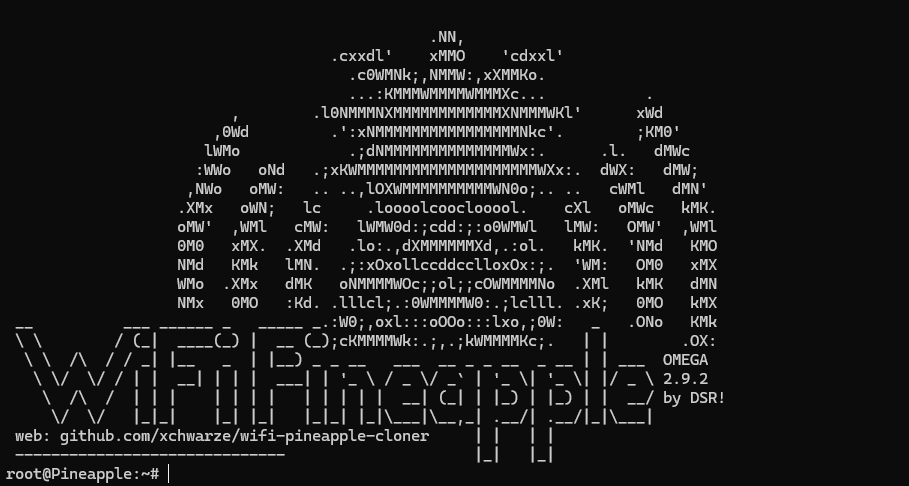
Functional? Technically, yes. But I’m using that word a bit generously; because let’s not pretend this Mango can go toe-to-toe with a real unit. I have to credit the Hac5’s blackmagic on the Kryptonian spaceship makes it an a perfectly selfcontained plug & play audit tool. This does not mean the mango falls short on the basics.
What It Can Do
This thing handles the basics like a champ:
- Reconnaissance and client detection
- Rogue access points (fake networks)
- Captive portals and Man-in-the-Middle shenanigans
- WPA2 handshake captures for offline cracking
Here’s how the magic works. Most devices constantly scream into the void, asking, “Is my home WiFi here?” The Pineapple clone listens, replies with “Yup, I’m totally your router,” and the device connects without thinking twice. Once that happens, the Mango becomes the middleman, able to inspect DNS queries, redirect users to phishing portals, or harvest unencrypted data.
For handshake captures, a quick deauth packet boots the client from its network, and during the reconnect, the handshake is captured and saved. That file can later be cracked offline using tools like hashcat or john, provided you have a decent GPU and dictionary.
Now, for the limitations:
- No 5 GHz support. So all the newer routers with dual-band setups are mostly invisible.
- No fancy automation or device profiling like the real pineapple.
- Some attacks need extra scripting or packages, because this isn’t plug-and-play.
But for a device the size of a tea biscuit, it still kicks plenty.
The Fun Part
This is where things get exciting. Since it runs full OpenWRT, the whole thing is wide open. I’m currently using an AR9271-based adapter, but I plan to experiment with getting Realtek chipsets working too.
Being able to SSH in, install packages, tweak drivers, and write scripts manually turns this from a one-trick Pineapple into a full-on playground. While the web UI does exist, it’s simply built to run scripts, I prefer just the terminal and a lot of Googling.
And it is portable. Ridiculously so. It fits in the palm of my hand. Add a tiny USB battery and it becomes a weaponized lunchbox. All I need is a USB hub and I can start plugging in multiple adapters for more coverage.
Next Upgrades
A few things on my to-do:
- Better antennas. Range is okay, but more gain never hurts.
- A built-in battery pack. Cable-free deployment is the dream.
- More USB ports. I’m already juggling adapters, and I want to expand.
If I get ambitious enough, I might 3D print a custom case to house everything in one tidy brick.
Finally
Is this a perfect Pineapple clone? No. But does it do enough to make people double-check their WiFi settings? Absolutely. It’s cheap, fun, and makes me learn things the hard way. Which is, let’s be honest, the best way.
